

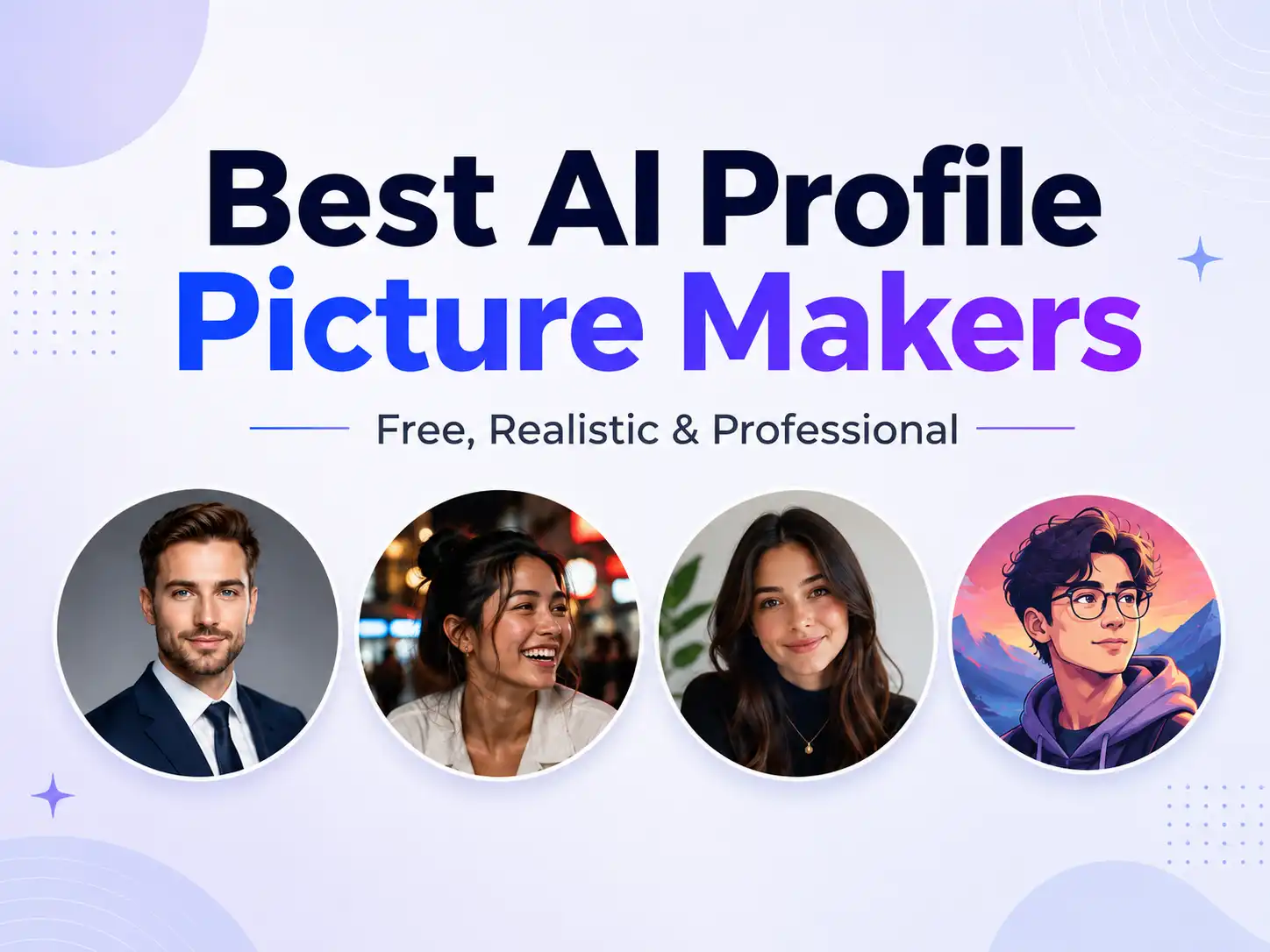
AI profile picture makers now do very different jobs.
Some simply take your existing selfie, remove the background and make it profile-ready. Others learn your face from several photos and generate completely new professional headshots or candid lifestyle pictures. Then there are creative PFP generators designed more for Instagram, Discord, gaming and avatars.
So there isn’t one tool that is best for everyone.
Our quick picks:
| Tool | Best for | Free option | What it creates |
|---|---|---|---|
| UnrealShot | Natural and candid profile photos | No (1 Free Preview only) | Completely new candid & realistic lifestyle photos |
| HeadshotPro | LinkedIn and corporate headshots | No | Professional studio-style headshots |
| BetterPic | Professional photos with editing control | Yes, with limitations | Customizable professional headshots |
| Aragon AI | Lots of professional headshot choices | Limited | Professional portraits |
| Fotor | Free creative and social PFPs | Yes | Creative, professional and stylized PFPs |
| ProfilePicture.AI | Style variety from one photo | No | Photorealistic and stylized portraits |
| Canva | Editing and finishing a profile picture | Limited | AI headshots plus manual design/editing |
If you already have a good selfie and only want to make it profile-ready, start with PFPMaker. If you want entirely new photos that look more like candid camera shots than traditional AI headshots, UnrealShot is the more interesting option. For LinkedIn and corporate use, HeadshotPro, BetterPic and Aragon are the stronger specialist choices.
1. PFPMaker — Best free AI profile picture maker for quick results
Best for: LinkedIn, X, Instagram, WhatsApp and anyone who already has a decent photo.
PFPMaker remains one of the easiest places to start because you don’t necessarily need a full AI photoshoot.
Upload a selfie and its basic tools can remove or replace the background, apply profile-picture templates and create cleaner versions of an existing photo. PFPMaker also offers more advanced AI photoshoot features when you want completely new images rather than simple edits.
Its current platform says its basic profile-picture tools are free and includes background removal, background replacement and other profile-photo utilities.
Try PFPMaker
Why choose PFPMaker?
PFPMaker makes the most sense when the person in your existing photograph already looks good and the problem is everything around them.
Maybe your background is messy. Maybe the image needs a better crop. Maybe you need something cleaner for LinkedIn or a colored background for social media.
You don’t necessarily need to train an AI model of yourself just to solve those problems.
Where PFPMaker is weaker
If what you really want is:
“Create completely new photographs of me in different locations, outfits and poses.”
then move further down this list.
That is a different job from making an existing picture profile-ready.
Verdict
Start here if you want something quick and free rather than a full AI photoshoot.
2. UnrealShot — Best for realistic, candid profile pictures
Best for: X, Instagram, dating apps, founder profiles and people who don’t want a corporate-looking headshot.
Most profile-picture generators optimize toward perfection: perfect skin, perfect lighting, perfect background, perfect smile.
The problem is that the result can start looking like an AI headshot.
UnrealShot takes almost the opposite approach.
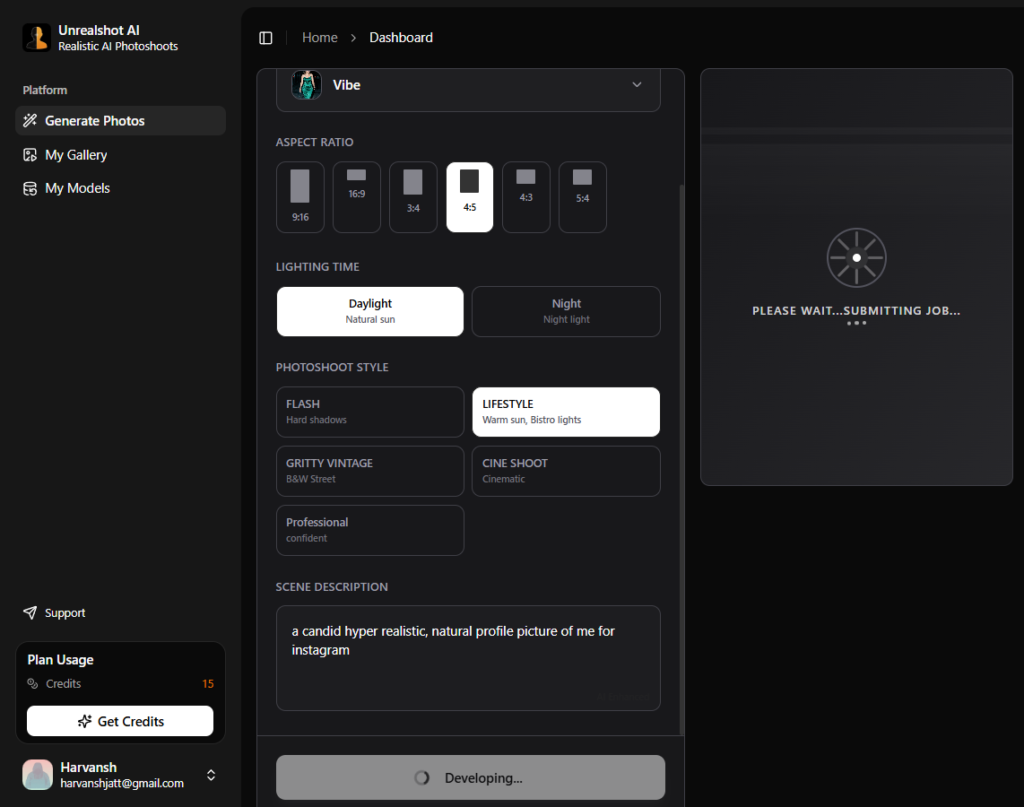
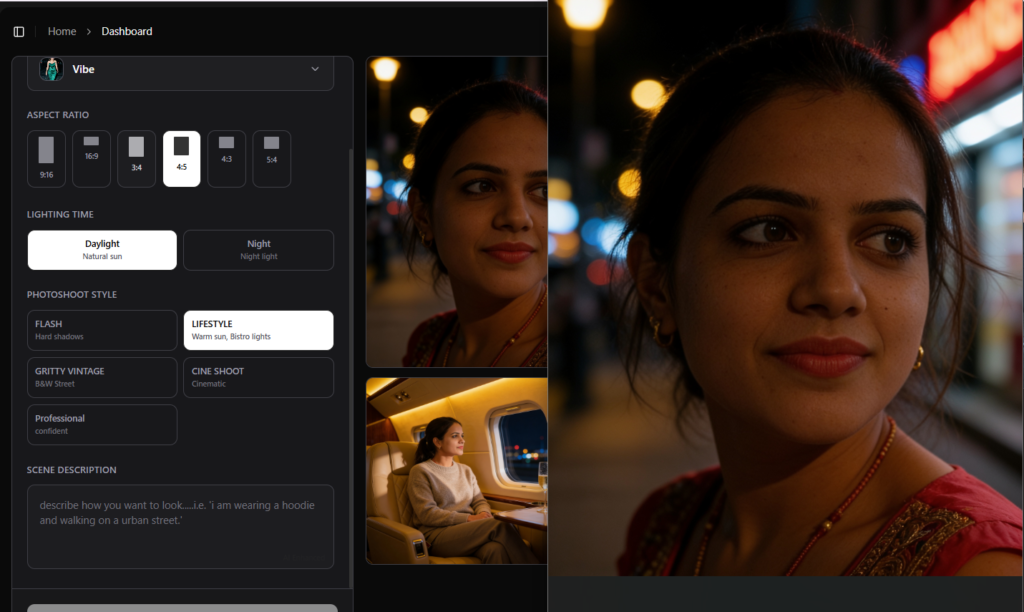
You upload several reference photos, it builds a personalized model of you, and you can then generate entirely new photographs using styles such as direct flash, golden-hour photography, gritty film, cinematic photography and professional headshots.
Instead of only creating shoulder-up studio portraits, it is designed to create the kind of candid or lifestyle image someone could realistically use as an Instagram photo, X profile picture or dating photo. UnrealShot currently asks for four clear reference photos and offers one-time photo packs rather than a subscription.
Create a Profile Picture with UnrealShot
Why UnrealShot is different
The strongest use case isn’t:
“Make this selfie look professional.”
It is:
“I don’t actually have the photo I want.”
For example:
- a natural cafe portrait
- a direct-flash night photo
- a casual founder PFP
- a golden-hour outdoor portrait
- a cinematic creator profile
- a clean professional headshot
The source photos are used to establish your identity; the final scene can be entirely different.
Its current privacy policy on the product page says uploaded photos and trained models are automatically deleted after seven days, with an option to request earlier deletion. The product also grants commercial usage rights to generated photos.
Where UnrealShot is weaker
It is unnecessary if you merely need a circular crop or a new background.
There is also an initial model-training step because the product is trying to generate new photos of you, rather than merely edit the photograph you uploaded.
Verdict
Our pick when realism means “this could have come from my camera roll” rather than “this looks like a polished studio headshot.”
3. HeadshotPro — Best AI profile picture maker for LinkedIn
Best for: LinkedIn, resumes, company websites and professional directories.
If your definition of a profile picture is specifically a professional business headshot, HeadshotPro is one of the clearest specialist choices.
It takes a handful of selfies and generates professional portraits with different outfits, backgrounds and styles. The product uses one-time packages rather than requiring an ongoing subscription.
The distinction matters.
HeadshotPro isn’t primarily trying to produce anime avatars, dating photos or gritty Instagram pictures. It is built around professional photography.
That makes it particularly suitable for:
- executive bios
- company team pages
- portfolios
- speaker profiles
- business websites
Independent user discussions also repeatedly place HeadshotPro among the stronger professional-focused generators, although users note that—as with most generative headshot services—not every returned image will necessarily be a keeper.
Privacy is unusually clear
HeadshotPro says original input photos are deleted after seven days and generated headshots after 30 days unless users delete them earlier. It also states that customers retain ownership and commercial rights to their generated headshots.
Where HeadshotPro is weaker
Its professional focus is also its limitation.
For a lawyer, consultant or executive, that’s exactly what you want.
For a creator looking for a spontaneous late-night street photograph for Instagram, there are more suitable choices.
Verdict: One of the safest places to start when your profile picture needs to look unmistakably professional.
Get a Professional Headshot with HeadshotPro
4. BetterPic — Best for editing and customizing professional headshots
Best for: Professionals who want AI generation but don’t want to accept the first result as-is.
BetterPic competes in the same professional-headshot category as HeadshotPro and Aragon, but customization is its strongest differentiator.
The current product offers more than 150 professional styles and combines AI editing with optional human editing. Paid generations are advertised as completing in under an hour.
That matters because one of the frustrating parts of AI portraits is getting a photo that is almost right.
Maybe the face works but the clothing doesn’t.
Maybe you like everything except the background.
Maybe one detail needs fixing instead of generating another 50 photos.
BetterPic has built more editing infrastructure around that problem.
BetterPic also has a free option — with a big catch
BetterPic currently offers free AI headshots, including 4K output.
However, its own documentation says the free generation queue can take one to three months, while the paid service is substantially faster. The free service also has different privacy/marketing conditions than the paid product, so read those terms before uploading.
So technically, yes, there is a free option.
Practically, don’t choose it if you need a LinkedIn photo this week.
Verdict: Particularly attractive if editing and refining a near-perfect professional result matters more than simply generating the largest possible batch.
Create and Refine Your Headshot with BetterPic
5. Aragon AI — Best for generating lots of professional options
Best for: Professionals who want multiple backgrounds, outfits and headshot variations.
Aragon is another specialist AI headshot generator rather than a general-purpose photo editor.
The standard workflow asks for multiple reference photographs—currently at least six—and lets users select attire and backgrounds before generating a personal AI model. Paid packages can return large batches of professional portraits.
That makes Aragon useful when you’re not sure exactly what kind of professional picture you want.
Instead of designing one image manually, generate alternatives and pick the one that looks most convincing.
There is a free Aragon generator too
Aragon currently offers a free headshot generator, but the company itself explicitly says that its free output does not have the same studio-quality photorealism as the full professional generator.
That’s actually useful transparency.
Use free generation to understand the workflow. Consider the full generator when the resulting image is going somewhere important.
Verdict: Strong choice for traditional professional portraits when you want plenty of alternatives rather than a single edited image.
Generate More Professional Looks with Aragon
6. Fotor — Best free AI PFP maker for creative styles
Best for: Instagram, Discord, TikTok, gaming and experimenting with different looks.
Fotor sits somewhere between an AI profile-picture generator and a complete online photo editor.
Its current profile-picture generator can transform a single uploaded photograph into professional or creative profile images, including cartoon and anime-style PFPs. Fotor says the profile-picture tool is free, requires no signup for its basic workflow and produces images without a watermark.
This is where Fotor differs from HeadshotPro or Aragon.
You might use those products to make someone believe you booked a photographer.
You might use Fotor because you don’t want the result to look like conventional photography at all.
Fotor works particularly well for experimentation
Try it when you want:
- an anime PFP
- an illustrated profile picture
- a colorful Instagram avatar
- a seasonal profile picture
- a different background
- a quick social-media portrait
Its broader editing suite also means you can continue adjusting the image after generation.
Where Fotor is weaker
For a corporate executive headshot, we’d still prefer a service designed specifically around identity-trained professional photography.
Verdict: One of the easiest free options when creativity matters more than recreating a studio photoshoot.
Make a Creative PFP with Fotor
7. ProfilePicture.AI — Best for trying lots of profile styles
Best for: People who want something more expressive than a standard headshot.
ProfilePicture.AI was built specifically around generating profile pictures rather than being a general photo editor.
Its current workflow can create a gallery of photorealistic or styled portraits from a high-quality source photo, with a strong emphasis on choosing different looks and identities for different online profiles.
This makes sense if you use different online identities.
Your LinkedIn PFP doesn’t necessarily need to look like your Discord avatar.
Your X profile may benefit from something more recognizable or distinctive than your corporate headshot.
ProfilePicture.AI sits between those worlds.
Where it fits
Choose it primarily for style exploration, rather than purely for fixing an existing photo.
If you’re looking for a free background remover and nothing else, PFPMaker is simpler.
If you’re looking exclusively for conservative business headshots, HeadshotPro, BetterPic or Aragon are more focused.
Verdict: Good middle ground between professional AI portraits and more expressive online avatars.
Explore New Profile Picture Styles
8. Canva — Best if you want to edit the profile picture yourself
Best for: LinkedIn users, creators and anyone already working inside Canva.
Canva is the odd one out here—and that’s useful.
It isn’t primarily an AI headshot company. Instead, AI profile-photo generation sits inside a much larger design environment.
Canva currently offers an AI LinkedIn profile-picture workflow with limited free generations. Once a picture is created, you can continue editing the image, sharpen it, retouch it, apply filters, adjust the crop or integrate it into other assets.
That’s especially convenient when your PFP is only one part of a broader branding job.
For example:
Profile photo → LinkedIn banner → X header → YouTube thumbnail → personal-site assets
can all stay inside the same workspace.
Where Canva is weaker
A dedicated AI headshot service trains specifically around generating many realistic photographs of the same person.
Canva’s advantage is the design workflow around the picture, not necessarily having the deepest specialized headshot-generation pipeline.
Verdict: Choose Canva when you want control over the final design rather than simply downloading whatever the AI generates.
Create and Finish Your PFP in Canva
Which AI profile picture maker should you actually choose?
Don’t pick based on whichever website claims to have the “most advanced AI.”
Pick based on the photograph you are actually trying to create.
| What you need | Start with |
|---|---|
| Make an existing selfie look better | PFPMaker |
| Completely new realistic/candid photos | UnrealShot |
| LinkedIn or resume headshot | HeadshotPro |
| Professional headshot with editing options | BetterPic |
| Large selection of professional looks | Aragon AI |
| Free creative/social-media PFP | Fotor |
| Stylized profile-photo gallery | ProfilePicture.AI |
| Generate + manually design the final profile | Canva |
Best AI profile picture maker by platform
Start with HeadshotPro, BetterPic or Aragon if you need a conventional professional photograph.
LinkedIn’s official guidelines allow illustrations and artistic renderings, but the profile image still needs to reflect your likeness.
That makes identity accuracy much more important than creating an impressive-but-unrecognizable AI version of yourself.
Instagram and X
UnrealShot is a stronger fit when you want something candid or personality-driven. Fotor makes more sense when you want creative or illustrated styles.
Discord and gaming profiles
Start with Fotor or ProfilePicture.AI. Here, distinctiveness often matters more than looking like a professional studio photograph.
Dating profiles
Consider UnrealShot if you want realistic lifestyle shots rather than a corporate headshot.
But use AI-generated dating photos carefully: the picture should still genuinely represent what you look like rather than constructing a misleading identity.
WhatsApp and everyday social profiles
If you simply want to clean up a photograph you already like, PFPMaker is probably enough.
Don’t train an entire AI photoshoot model to remove your bedroom wall.
How to get a better AI profile picture
The quality of your source photograph matters far more than most people expect.
For generators that use your face as a reference, start with clear photographs where your features are easy to see. PFPMaker recommends a clear selfie, Aragon asks for varied reference photos, and BetterPic recommends different angles, expressions and lighting for its trained-headshot workflow.
Avoid making every source photo heavily filtered or blurry.
And before using the final result, zoom in.
Look carefully at:
eyes → teeth → earrings → hairline → glasses → clothing → background objects.
AI portraits have become much better, but faces are precisely where people notice tiny inconsistencies most easily.
Most importantly, choose the image that looks most like you, not necessarily the image in which AI made you look most impressive.
Frequently asked questions
What is the best AI profile picture maker?
There isn’t one best option for every type of profile picture. PFPMaker is one of the easiest free tools for improving an existing photo; UnrealShot is better suited to generating new candid and lifestyle photos; HeadshotPro, BetterPic and Aragon specialize in professional headshots; while Fotor and ProfilePicture.AI are better suited to creative PFPs.
Is there a free AI profile picture maker?
Yes. PFPMaker and Fotor both offer free profile-picture tools. Canva provides limited free AI profile-photo generation, while Aragon and BetterPic also offer free headshot options with different limitations.
What is the best AI PFP maker for LinkedIn?
For a conventional LinkedIn profile, specialist AI headshot generators such as HeadshotPro, BetterPic and Aragon are better suited than highly stylized avatar generators.
LinkedIn allows artistic profile images, but its policy says the picture still needs to reflect your likeness.
What is the difference between an AI PFP maker and an AI headshot generator?
An AI PFP maker is a broader category. It may create cartoons, avatars, background replacements, stylized portraits or professional photos.
An AI headshot generator generally focuses specifically on realistic professional photography for LinkedIn, resumes, team pages and business profiles.
Do AI profile picture generators need multiple photos?
Tools such as PFPMaker, Fotor and ProfilePicture.AI can work from a single source photograph for some workflows. Identity-trained photoshoot tools such as UnrealShot, HeadshotPro and Aragon generally ask for several reference photos so they can learn what you look like before creating entirely new scenes.
Are AI profile picture makers safe?
They require uploading images of your face, so privacy policies matter.
Before using any service, check how long uploads are retained, whether trained models are deleted, whether images can be used for model training or marketing, and whether you can manually delete your data.
Policies differ significantly between services—and sometimes between a company’s free and paid products.
Final verdict
If you only want to improve an existing profile photo, PFPMaker is where we’d start.
If you want AI to create photographs that you never actually took, the choice becomes more interesting:
UnrealShot for candid and lifestyle photos.
HeadshotPro for straightforward professional headshots.
BetterPic when editing control matters.
Aragon when you want lots of professional variations.
Fotor for free creative PFPs.
The biggest mistake is choosing an AI profile picture maker before deciding what kind of profile picture you’re trying to make.
Choose the photograph first. Then choose the AI.